“Download Now” Fläche in der Dateibeschreibung anklicken, danach :
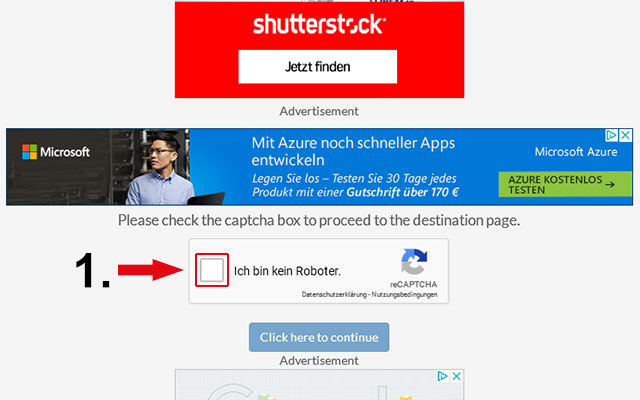
1. Haken setzen vor dem Feld “Ich bin kein Roboter”
2. Alle Bild-Captchas lösen und auf “Bestätigen” klicken
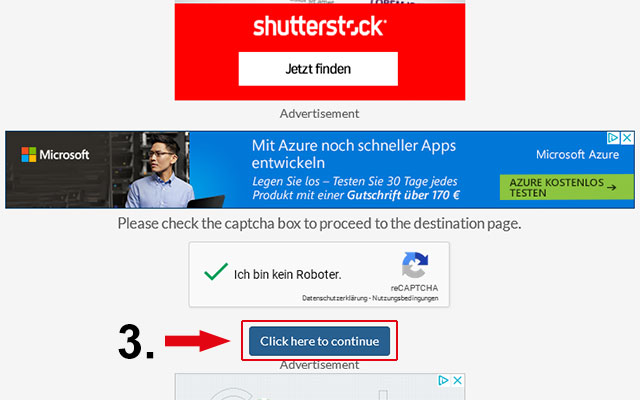
3. danach in das Feld “Continue” klicken
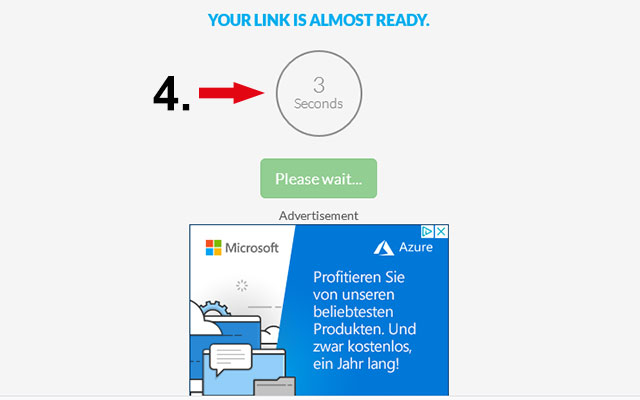
4. 10 Sek warten (Countdown zählt von 10 bis auf 0 runter)
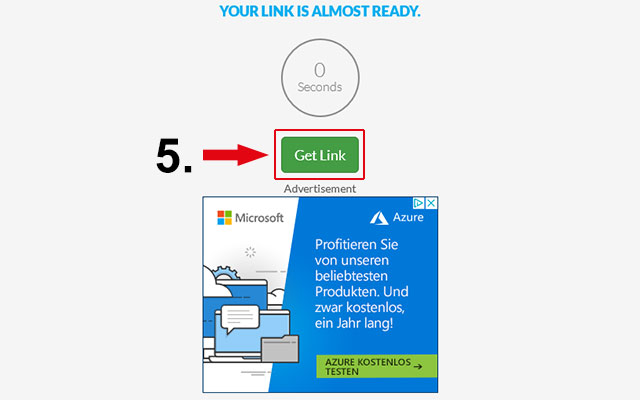
5. danach auf den Button “Get Link” klicken
nun öffnet sich das Download-Fenster – die Datei kann nun lokal gespeichert werden.
Umleitung über ad.fly :
Rechts oben warten bis der Counter von 5 auf 0 runterzählt, danach auf “Werbung überspringen”
klicken – nach kurzer Zeit sollte sich das Download-Fenster öffnen bzw. der Download starten.
————————————————————- english ————————————————————-
click on the “Download Now” button in the file description, then :
1. put a tick in front of the field “I’m not a robot”
2. release all image captchas and click on “Confirm”
3. then click in the field “Continue”
4. wait 10 seconds (Countdown counts down from 10 to 0)
5. then click on the button “Get Link“
now the download window opens and you can save the file on your disc.
Redirection via ad.fly:
Wait top right until the counter counts down from 5 to 0, then click on “Skip advertising“.
after a short time the download window should open – the file can now be saved locally.